
Cincinnati Car Diagnostics: When to DIY Car Troubleshooting
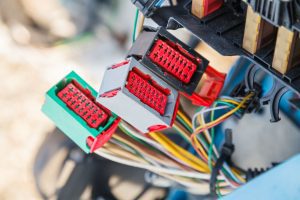
Technology is a beautiful thing. It puts the power of knowledge in your hand, literally. A modern smartphone carries more data and computing power than it took to get the astronauts to the moon. Which means that should be a breeze for that phone to help take care of some DIY car diagnostics from the comfort of your garage. That’s incredibly empowering. It completely changes the game on car repair. Car diagnostics apps give the power to the consumer. We’ll explain how.
Since 1996, all vehicles sold in the US, including European imports, are required to provide a connection that tells mechanics as well as inspectors car diagnostic information about its performance. Thanks to smartphone technology, this valuable data can now be accessed through your phone with the help of a variety of apps. These days there’s an easier way to make your diagnosis at home than just peeking under the hood and scratching your head.
So, the next time that pesky check engine light comes on, you can diagnose the problem yourself—or at least have a rough idea whether or not it’s serious. You don’t need to be an electrical specialist. You don’t even need to be a car mechanic. But you’ll know if it’s just an oxygen sensor or a more critical emergency. Diagnostic tools take the guesswork out of your DIY car troubleshooting, answering the question “Should I bring my car into my Cincinnati mechanic, or is the problem not worth worrying about?”
Want to Scan Your Check Engine Light? Get a OBD2 Scanner
Before you can use any of the following DIY car diagnostics phone apps, you will need to get a device that makes your phone and car talk to one another, known as an OBD2 scanner. All of the moderately priced apps listed below will interface with nearly any OBD2 device, while a more expensive app like BlueDriver uses a proprietary OBD scanner that is designed for exclusive use with the app.
When it comes to interchangeable OBD2 products, we are fans of those made by BAFX, but a quick internet search can get you a whole heap of inexpensive options. In general, our recommendation is to decide on a car diagnostic app before you choose an OBD device. Each app tends to work better with certain devices, some apps are Android only, and some devices are as well. Now, lets take a look at a few applications.
Torque Pro: One of the Original and Best Known Car Diagnosis Apps
In addition to being one of the car diagnostic apps that has been around for the longest, Torque is one of the most popular, and one that is Android only (though there are a handful of lousy ripoffs on the iPhone app store). One of the nice things about the real Torque is that it is compatible with many modern OBD2 devices. In addition to taking care of the car troubleshooting work to pinpoint the reason for a check engine light, Torque will also give you real-time logging of all of your car’s most important numbers, making a mini dash on your phone with speed, rpms, horsepower etc.
OBD Auto Doctor: Take You Car to the Doc In Your Own Garage
The OBD Auto Doctor is another app that allows you to diagnose your car’s check engine lights with the simplicity of plugging in an OBD device—and this one is available for both Android and iPhones. It can also help you monitor your engines performance and functionality. Its car diagnostic capabilities even extend to helping you to save gas by looking at your fuel economy and analyzing your driving style.
EOBD Facile: Makes Car Troubleshooting Just That—Easy
As one can guess by the name, EOBD Facile is an easy and intuitive car diagnostic app that happens to be available for both Android and iPhone. Like the other apps in this collection, you will need an OBD2 device, but this app in particular makes it easy to both diagnose and clear those pesky warning and check engine lights. If you are interested in keeping track of the trips you make in your car or wondering what that mileage looks like long term, Facile might be the app for you.
inCarDoc Pro: A Car Diagnostic App for the Graph Lover
OBD Car Doctor Pro delivers real-time information on your car’s engine performance, including pressure, speed, the angle of rotation, and temperature—among other sensor data. It even delivers that data in visually understandable graphs and charts.
Car Scanner ELM OBD2: Diagnose for the Low Price of Free
With the Car Scanner ELM OBD2 App, you pick up nearly every single data point read by your car’s ECU. Best of all, this car diagnostic app is free to download (with in-app purchases, of course). You can learn everything about your car. All you’ve got to do is look up the fault codes online to find their meaning. Not only that, it works across different platforms, including Android, iOS, Windows PC or mobile.
OBD Devices are Great, But Sometimes You Need a Mechanic
The best thing about car diagnostics apps is they can tell you if something is worth worrying about—and how quickly it needs to be taken to your favorite automobile repair shop and fixed. It could let you know that a quick top off of some fluids or a simple air filter change that can be done at home will turn the light off. Or maybe your car diagnostic app might let you know that you need to get your car to the nearest car repair garage ASAP. That’s the beauty of having a car troubleshooting app at your fingertips. Knowledge is power.
If your car diagnostic app tells you that your car needs something that you can’t fix at home, our auto repair shop in Cincinnati would be happy to help. Since 2001, we’ve been serving the Cincinnati area with our car mechanics’ over 60 years combined experience specializing car troubleshooting and car repair on European and other foreign cars.
We service all makes and models, but have special expertise when it comes to repairing those European makes, including:
- Saab
- Mercedes
- BMW
- Opal
- Ferrari
- Porsche
- Toyota
- Volvo
- Audi
- Volkswagen
- Honda
- Mini
- Lexus
- Austin Healey
- and Jaguar.
All of our master mechanics are ASE certified and our work is guaranteed and fully insured. Contact us today for an estimate on how long a repair will take and how much it will cost. You can call us during business hours, or fill out our online form any time to schedule an appointment. We’re happy to answer any questions you might have.